 TivEPG
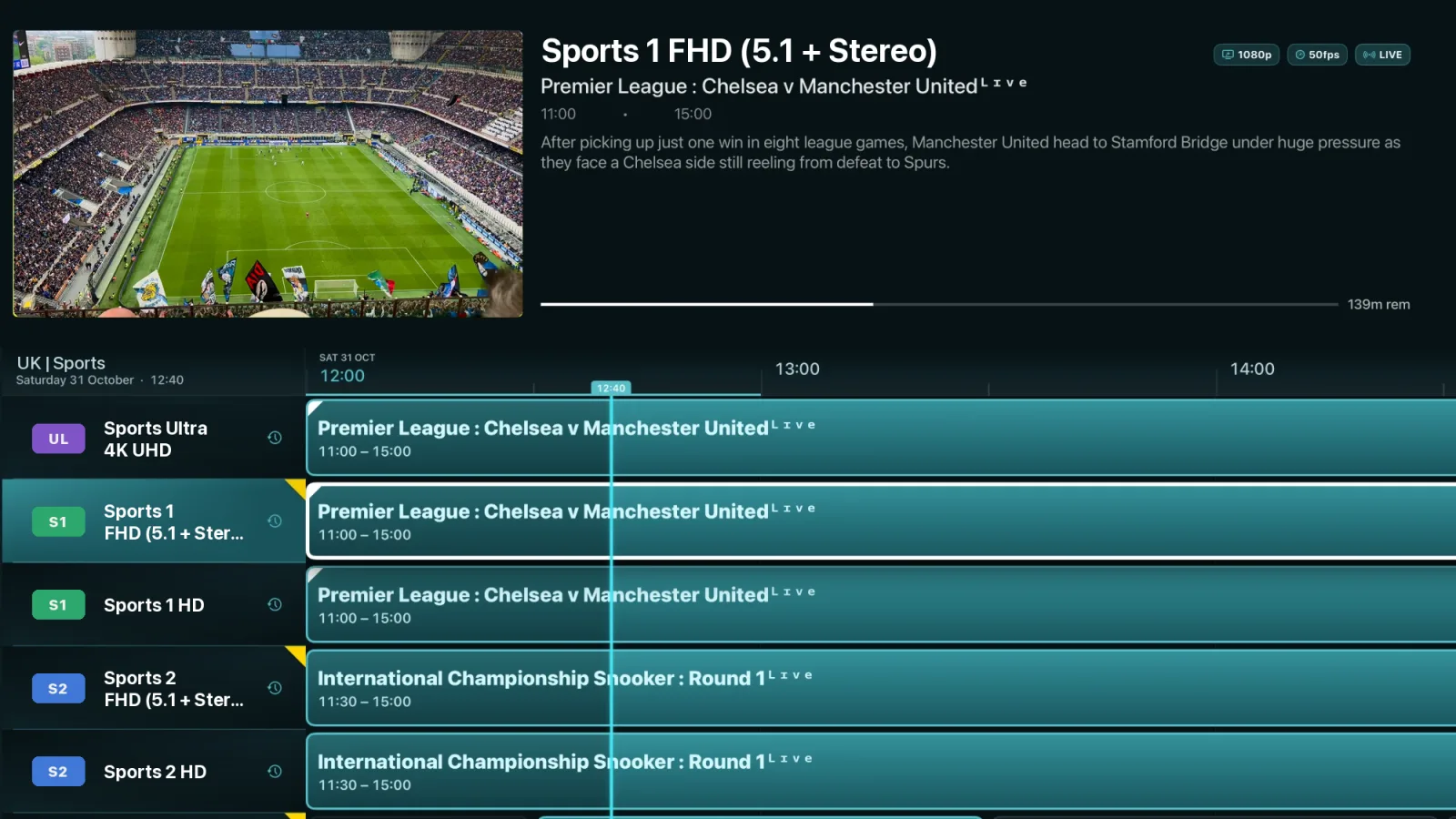
A real TV guide on Apple TV
Apple TV is the nicest box to watch on, but for years the IPTV apps on it have been the weakest. TivEPG was designed for tvOS and the Siri Remote: a full-screen EPG grid with the channel still playing in the corner, fast focus movement across hundreds of channels, and a player that matches your TV's frame rate and dynamic range.
What you get on Apple TV
- A proper TV guide (EPG). Scroll the whole grid while the channel keeps playing in a mini-player, set reminders and jump into catch-up.
- Xtream Codes and M3U. Log in with your provider's server, username and password, or paste an M3U playlist URL with an optional XMLTV guide URL.
- Live TV, movies and series. Your provider's VOD library with artwork, synopses, Continue Watching and Trakt sync.
- Catch-up and Replay. Watch back anything your channels keep in their archive, or press Replay to rewind to the last goal.
- Multiview. Up to four channels on one screen. Pick which one you hear.
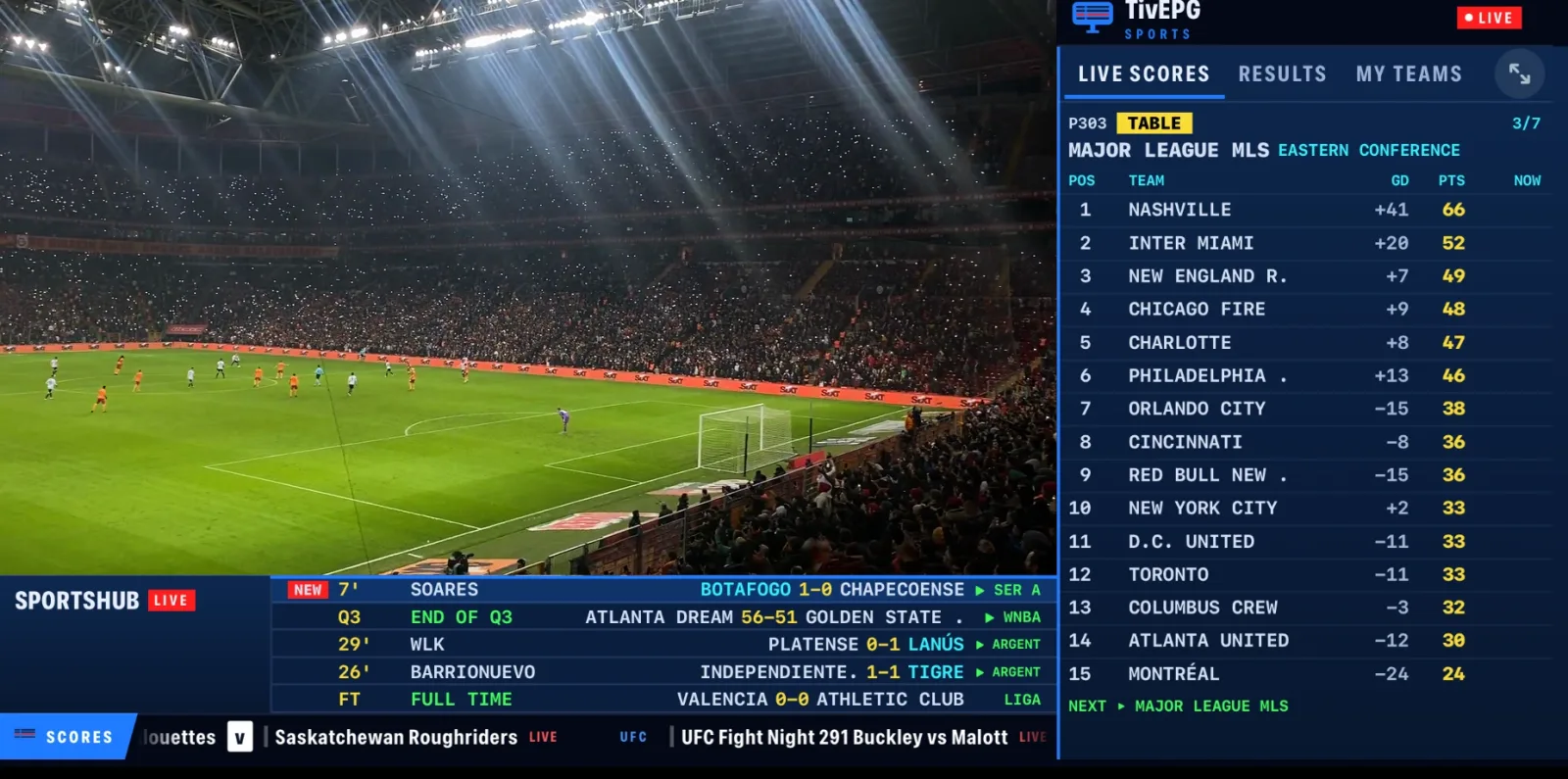
- Sports Hub. Every fixture and live score for football, NFL, NBA, F1, cricket, tennis, golf and more, and the channel in your playlist that is showing it.
- No spoilers. IPTV often runs a minute or two behind. TivEPG reads the match clock on your picture and holds score alerts until the goal happens on your screen.
- SportsHub Live. Live tables, stats, line-ups and every other score around the picture, without leaving the game.
- Replay. Press it after a goal and TivEPG rewinds your channel's catch-up to just before it, then takes you back to live.
- Continue Watching for movies and series, synced with Trakt.
Setting up IPTV on Apple TV without typing
Typing a long server address with the Siri Remote is painful. On Apple TV, open Settings → TivEPG Remote to get a 6-digit number, then go to tivepg.com/help on your phone or computer, enter it and add the playlist from there. It is encrypted end to end and works for setting up a family member's TV from anywhere.
Or add it directly: Settings → Playlists → Add Playlist, then Xtream Codes or M3U Playlist. Full steps are in the set-up guide.
Is there TiviMate for Apple TV?
No. TiviMate only runs on Android TV, Google TV and Fire TV. TivEPG is the Apple TV app for people who want that style of guide. Read more about TivEPG as a TiviMate alternative.
Questions
What is the best IPTV app for Apple TV?
If you want a TiviMate-style guide and you watch sport, TivEPG is built for it: a native tvOS app with a full-screen EPG, catch-up, Multiview, Replay and a Sports Hub that finds the channel for every game.
Can I get TiviMate on Apple TV?
No, TiviMate is Android only. TivEPG gives Apple TV a full EPG guide, catch-up, Multiview and a built-in Sports Hub.
How do I add an M3U playlist to Apple TV?
Install TivEPG, open Settings, Playlists, Add Playlist and choose M3U Playlist. To avoid typing with the remote, use TivEPG Remote and add it from tivepg.com/help on your phone.
Does TivEPG work on Apple TV HD and Apple TV 4K?
Yes. It runs on Apple TV models that support the current version of tvOS on the App Store.
TivEPG is a player only. No channels, streams or subscriptions are included. Use it with a playlist you have the rights to watch.
More guides